

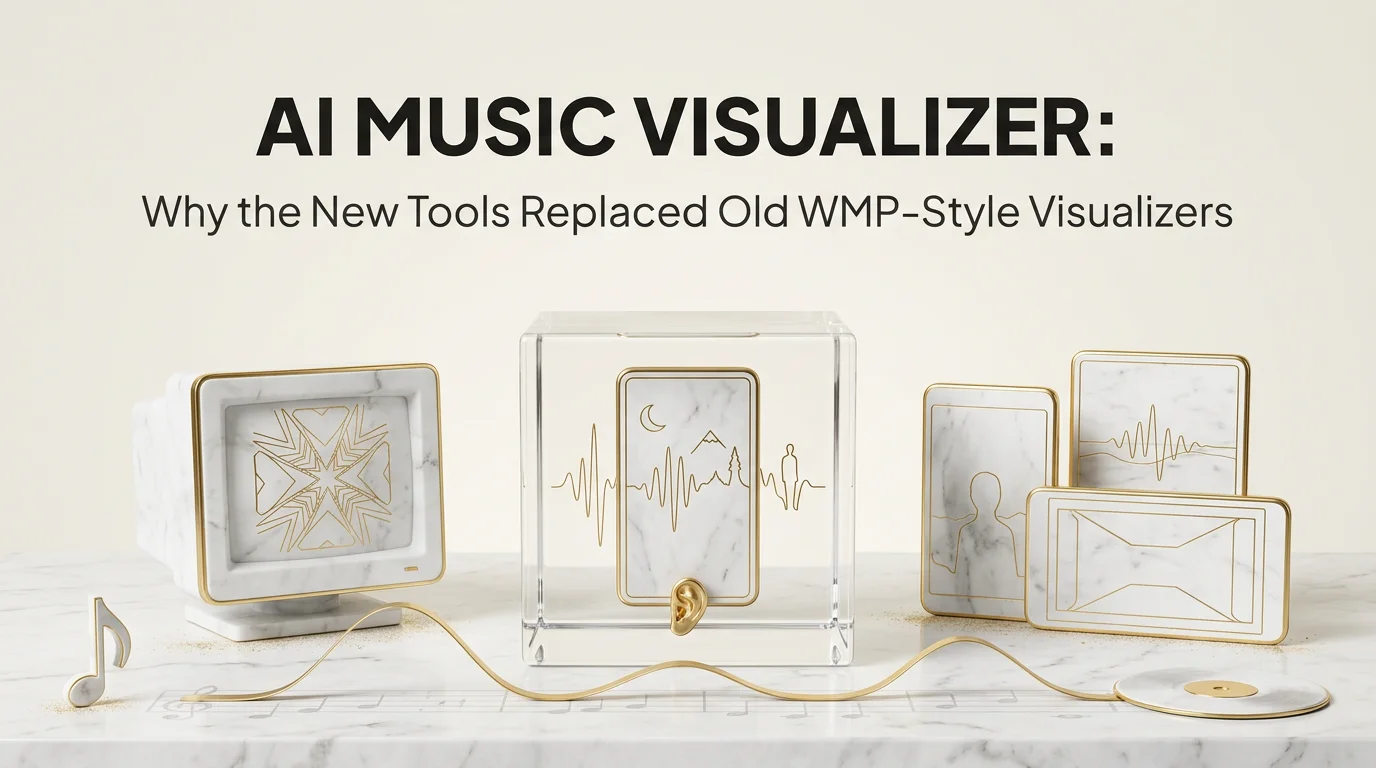
If you have shipped a track in the last year and the only motion graphic you added was a bouncing waveform, you have left the visual layer of your release on the table. An AI music visualizer is the answer to that gap. It listens to your audio, picks visuals that match the actual content of the track, and produces scenes that change with the music instead of just reacting to the volume.
This article covers what an AI music visualizer is, why the older fractal and waveform tools no longer hold up, the four things only AI can do, and which tool fits which use case. The shorter version is that the category has changed enough that calling them all visualizers is misleading.
What separates an AI music visualizer from a regular one
An AI music visualizer is a tool that analyzes your audio and produces video where the visual choices are driven by what the track actually contains, not just by how loud it is at a given moment. The older generation of visualizers, the kind that shipped with Windows Media Player or iTunes, reacted to amplitude and frequency. They made patterns. They did not understand the track.
The new generation does. An AI visualizer reads the audio with a model that can pick up tempo, key, instrument mix, and mood. The output is a sequence of scenes or effects that ties to those signals. Drop the same kick drum into a slow ballad and an aggressive drill track and an AI visualizer produces different visuals because it hears the difference.
That single shift is what redrew the category. A 2009 visualizer was an audio toy. A modern AI music visualizer is a release asset that lives on Spotify Canvas, Reels, Shorts, and YouTube.
Visualizer versus music video generator
The line between an AI music visualizer and a full AI music video generator is fuzzy and worth marking before you pick a tool. A visualizer is typically loop-friendly, abstract, and short. A music video generator is scene-based, character-aware, and meant to tell a small story. Some tools sit firmly on the visualizer side, some on the video side, and a few do both well.
If you only need motion that matches the song, you want a visualizer. If you need a person on screen, a place, or a moment that goes somewhere, you want a video generator.
Why old fractal-style visualizers feel dated
The classic visualizer is built on a small set of fixed patterns: bars, fractals, kaleidoscopes, particles, vector waves. Each one reacts to FFT data, which is just the audio spectrum at any moment. The visual moves when the audio moves. The visual stops when the audio stops.
That model worked because for years there was no better option. Computers were fast enough to render reactive patterns in real time, and that was enough for desktop playback. The problem is that the pattern is the same every time. You hear the song twice and you have seen the visualizer twice. Nothing about the second viewing earns more attention than the first.
Modern listeners do not watch visualizers on a desktop. They watch loops embedded in Reels, TikTok, YouTube Shorts, and Spotify Canvas. Those formats reward specificity. A loop that visually says "this is a chill late-night R&B track" earns a stop. A generic kaleidoscope says nothing about the track, so the scroll keeps moving.
The fractal visualizer is also locked to abstraction. If you want a person on screen, a place, or a mood that reads in two seconds, you cannot get it from a tool that only knows about patterns.
The 4 things AI visualizers can do that classic ones can't
There are four capability gaps that separate AI music visualizers from their predecessors. Pick the ones that matter for your release and let those drive your tool choice.
First, scene-level coherence. An AI visualizer can hold a visual idea across a full section of the track. A verse is one scene, a chorus is another, a drop is a third. Classic visualizers cannot do this because they have no memory across frames. They only know what is happening right now.
Second, content-aware visual mood. Drop a sad song into a fractal visualizer and you get the same shapes as a dance track. Drop the same sad song into an AI visualizer and you get slower motion, dimmer color, longer holds on each frame. The tool reads the track and matches the visual register to the emotional register.
Third, character continuity. Some AI visualizers can hold a person, mascot, or art-directed object across the full visualizer. This is closer to a music video than a visualizer in the classic sense, but the category line has moved. If you can keep the same figure on screen, even loosely, the visualizer reads as part of your release brand. Echonos's character consistency layer is built around exactly this problem.
Fourth, format awareness. Across the category, AI visualizers can output 9:16, 1:1, or 16:9 specifically tuned for each surface. A Canvas loop is shorter and tighter than a YouTube Shorts loop, which is different from a Reel. Old visualizers gave you one aspect ratio and you cropped manually. (Echonos currently ships 9:16 vertical only; horizontal and square output are on the roadmap, so a 16:9 YouTube hero or a 1:1 campaign tile still needs a separate tool today.)
These four capabilities are not all-or-nothing. Some tools have one, some have all four. Read each tool's claims against this list before you pick.
Top AI music visualizer tools available right now
The category is moving fast. Tools that did not exist last year are leading on specific axes, and tools that led last year have not all updated. Here is the current honest read.
Echonos Engine is an audio-analyzed, story-driven music video generator. It reads your track for tempo, structure, and mood, then produces a beat-synced vertical (9:16) music video. The same output can be trimmed into shorter visualizer-style loops for Canvas, Reels, and Shorts without regenerating. The Echonos Characters layer keeps your on-screen figure consistent across the long video and the short cuts.
Specular and Plazmapunk lead the audio-reactive abstract visualizer side. They have strong real-time pattern libraries and are fast to get a loop out of. They are weaker on scene coherence and character continuity.
Kaiber and NeuralFrames sit between visualizer and music video. They can produce scene-based output but tend to be less audio-reactive than dedicated visualizers. Their strength is style range; their weakness is that the visuals can drift away from the actual music.
MVLand and Rotor are music-video-first tools that can be used in visualizer mode if you do not push them too hard. Better suited to story-driven releases than to pure loops.
Freebeat is a fast lyric-and-cover focused tool that overlaps with visualizer territory when used minimally. Less control, more speed.
There is no single best AI music visualizer. The right pick depends on whether you need scene depth, character continuity, format flexibility, or just a fast abstract loop.
When to use an AI visualizer versus a full music video generator
The cleanest way to make this decision is to ask what the listener should walk away with after watching.
Pick a visualizer when the goal is mood, looping content for Spotify Canvas or Reels, instrumental tracks that do not need a narrative, releases where the cover art is the brand asset and the visualizer is the supporting motion, or any release where you want to ship visuals fast without making large creative decisions about story.
Pick a music video generator when the goal is to tell something, even briefly. A character on screen. A place. A scene that goes somewhere from second one to second eight. Lyric-driven releases where the words call for specific imagery. Releases where the music video itself is part of the marketing rollout.
Most indie artists end up needing both. The visualizer covers the looping platforms (Canvas, Reels, Shorts) and the music video covers YouTube and the launch.
How Echonos covers visualizer use cases without being a dedicated visualizer
Echonos Engine is built as a music video generator first. The reason it still covers visualizer use cases is structural: once the audio has been analyzed and a vertical music video generated, you can trim shorter loops from the same output for Canvas, Reels, and Shorts. The audio analysis, the style choice, and the character on screen are decided once.
In practice this means one Engine generation gives you a full vertical music video plus the source material for Canvas and short-form social loops. You do not re-upload the audio or pick a new style for the shorter cut. The Echonos Styles library keeps the visual aesthetic consistent. The Vault holds the characters, styles, and brand assets you reuse across releases.
If you already use Echonos for music video work, the visualizer use case is a short trim away from your existing output. The five-minute Engine walkthrough shows the basic flow end to end.
More visualizer guides from Echonos:
- the complete music visualizer guide (3 types and how to pick)
- best music visualizer software, 8 tools ranked
- how audio reactive visualizers work
- lo fi visualizer: tools, loops and the Lofi Girl look
- audio visualizer for YouTube uploads
- instrumental music video and visualizer options for producers
- NeuralFrames alternatives for audio reactive work
FAQ
Frequently asked questions
5 questions answered. Tap to expand.
What is an AI music visualizer?
What is an AI music visualizer?
An AI music visualizer is a tool that produces video reacting to the actual content of your audio, not just the volume. It analyzes tempo, instrument mix, mood, and structure, and outputs visuals that change with the track. Classic visualizers built into desktop music players reacted only to amplitude and frequency, which is why every track looked similar through them. The shift to content-aware analysis is what makes the new tools usable as release assets.
Is an AI music visualizer the same as an AI music video generator?
Is an AI music visualizer the same as an AI music video generator?
No, though the line is fuzzy. A visualizer is typically abstract, loop-friendly, and short. A music video generator is scene-based, can include characters, and tells a small story. Some tools, including Echonos Engine, can produce both depending on the settings, but the use cases are different. Pick a visualizer for Canvas and Reels loops, pick a music video generator for YouTube releases with a narrative arc.
What is the best free AI music visualizer?
What is the best free AI music visualizer?
There is no clearly best free option. Most free tiers either limit output length, watermark the export, or restrict the format to one aspect ratio. Specular and Plazmapunk both have functional free trials. For longer-form or release-ready output, every leading tool has paid tiers. The honest read is to test two or three on the same track before paying anything, and pick on output quality rather than feature lists.
Can an AI music visualizer use a real person?
Can an AI music visualizer use a real person?
Some can. Echonos Characters and a handful of other tools support persistent character continuity, which means the same person, persona, or styled figure can appear across the visualizer. Most classic-style audio-reactive tools cannot do this because they only render abstract patterns. If a recognizable artist or character is part of your release brand, this capability is worth weighting heavily in your tool choice.
Will an AI music visualizer work for instrumental music?
Will an AI music visualizer work for instrumental music?
Yes, and instrumental tracks are often where AI visualizers shine. Without lyrics to drive the imagery, the audio analysis has to do all the visual work, which is exactly what these tools are built for. Beat-snap, instrument mix detection, and mood reading all carry the visualizer when there are no words to lean on.
Wrapping up
The visualizer category has moved further in three years than it had in the previous fifteen. The old fractal model still has a narrow use, mostly for desktop ambient playback, but for any release that has to compete on Reels, Canvas, or Shorts, an AI music visualizer is the bar. Pick a tool that gives you scene coherence, mood matching, and format awareness, and decide whether you also need character continuity.
If you make instrumentals specifically, our instrumental music video visualizer playbook goes deep on that variant. If you are working on a release where the visualizer needs to scale up to a full music video on YouTube, Echonos's Engine is built around exactly that crossover.
Keep reading
Related Articles
Instrumental Music Video: How Producers Can Visualize Tracks Without Vocals in 2026
How producers can make an instrumental music video in 2026, with beat synced visuals, type beat ready cuts, and the Echonos style presets that read as producer.
AI Music Video Generator from Audio: How Echonos Engine Builds Beat Synced Videos in 2026
An AI music video generator from audio file takes your song and produces beat-synced video. Here is how Echonos Engine works and how to get a strong first generation.
Music Video in 5 Minutes: An Echonos Engine Walkthrough From Idea to First Draft
How to make an AI music video step by step using Echonos Engine: upload your song, write a creative brief, and get a vertical 9:16 first draft in roughly 5 minutes.

Written by
Hari Devanathan
Lead Backend Engineer
Ex-Microsoft and Senior AI/Cloud Engineer at Leidos, building NLP, OCR, vector search, and LLM pipelines that generated ~$20M annually. Owns Echonos' audio intelligence and black-box generation pipeline, including audio analysis, beat detection, and GCP infrastructure.