

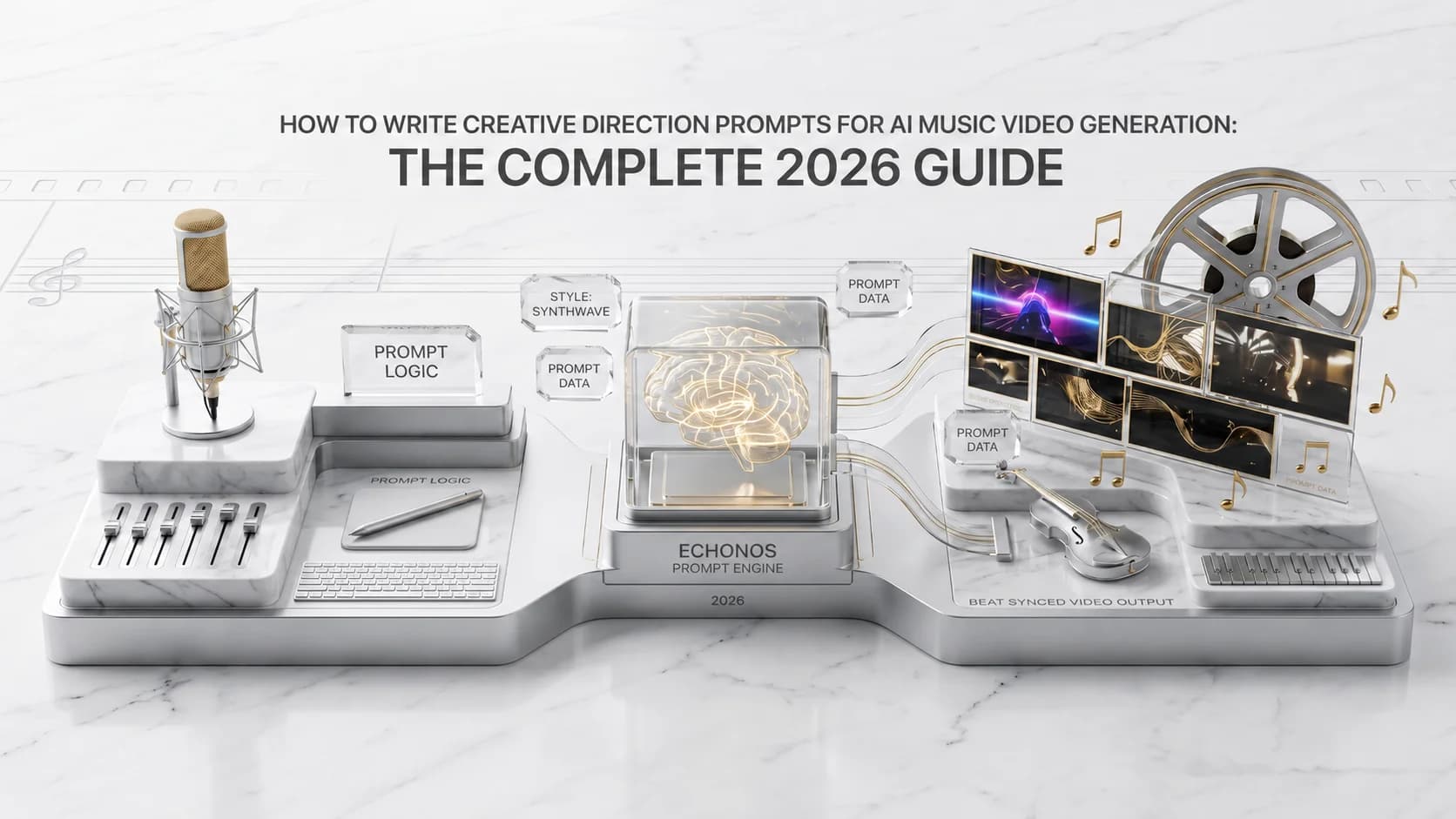
The single biggest predictor of how good your AI music video looks is not the song. It is not the platform you used. It is what you typed into the creative direction box before you hit generate.
An AI music video prompt is the text you write to tell an AI music video generator what world your song lives in. A strong prompt covers four layers: visual style, mood, color palette, and scene energy, and is closer to a director's brief than a tweet. Inside Echonos Engine, this prompt feeds six downstream pipeline stages.
Most artists treat that box as an afterthought. They write something like "cool video, dark vibe" and expect the engine to read their mind. The engine cannot read your mind. It can only read what you wrote. The artists who consistently get strong videos on the first or second generation all do the same thing: they write prompts that look more like a director brief than a tweet.
This guide is the working version of that brief. It walks through the four layers every strong music video prompt has, gives you the genre templates that actually work in 2026, and shows you how the prompt flows through Echonos Engine so you can see exactly which words matter and which words get ignored.
What Is an AI Music Video Prompt and Why Does It Matter?
A creative direction prompt is the text you write to tell an AI music video generator what world your song lives in. It is not a description of the song itself. The engine already has the song. The prompt is what you would say to a music video director if they had never met you and had thirty seconds to understand your vision.
Inside Echonos Engine, the prompt sits at the top of the Create flow as a free text field. The placeholder text shows you the level of specificity that works: "A cyberpunk style android cyborg." That kind of phrasing gives the engine three concrete signals in five words. World, character archetype, and style. A vague prompt like "dark and edgy" gives it none of those signals.
The reason this matters is that the prompt does not just guide the visuals. It shapes every downstream decision the pipeline makes. Scene planning leans on it. Camera language leans on it. The character likeness rendering leans on it. When the prompt is sharp, every later stage inherits that sharpness. When the prompt is fuzzy, the fuzziness compounds.
How Your Prompt Shapes Every Scene Echonos Engine Generates
When you submit a song and a prompt to Echonos Engine, the accepted formats are MP3, M4A, WAV, AAC, OGG, and FLAC; the full input guide is in the AI music video generator from audio file reference, your inputs do not go into a black box. They flow through a sequence of stages, and your prompt is referenced at almost every one. The pipeline runs audio analysis first, then creative vision, then directing, then engineering, then asset generation, then assembly.
Audio analysis is the only stage that does not need your prompt. It reads the song. Every stage after that consults your prompt to decide what to actually show. The creative vision stage uses your prompt to build the scene plan that maps the song to a sequence of visual ideas. The directing stage uses your prompt to set camera language and pacing. The engineering stage uses your prompt to write the per scene render briefs. The asset generation stage uses your prompt as the literal text that the model reads when it produces each scene.
In other words, your prompt is not consulted once. It is consulted six or seven times across the lifecycle of a single video. That is why a sharp prompt has compounding returns and a fuzzy prompt has compounding losses.
The 4 Core Elements of a Strong Music Video Creative Brief
Every strong creative direction prompt covers four layers. Visual style, mood, color palette, and scene energy. You do not need to write a paragraph. You need to make sure each of these four layers is represented somewhere in your prompt, in concrete language a director would recognize.
When all four layers are present, the engine has enough information to build a coherent visual world. When one is missing, the engine has to guess, and guesses tend to drift toward the average of what it has seen before. The result is a video that looks generically AI generated rather than specifically yours.
Visual Style, Mood, Color Palette, and Scene Energy: How to Describe Each
Visual style is the aesthetic universe your song lives in. Think of it as the genre of cinematography, not the genre of music. Echonos Engine ships with a curated library of preset styles you can pick directly, including Cinematic Realism, Golden Hour, Film Noir, Cel-shaded Noir, Dark Deco, 3D Cartoon, Watercolor Anime, Painterly 3D, Claymation, Low-Poly PS1, Paper Cutout, Charcoal, Tilt Shift, Retro Open World, Cyberpunk, Cyberpunk Cel, Vaporwave Chrome, Y2K Glossy, and Ukiyo-e Woodblock. Picking a preset is the fastest way to lock visual style. You can also create and save custom styles from a reference image, and they live alongside the presets in the same picker. If you describe a custom style instead, name a reference that is specific. "Cinematic Realism with a 35mm film grain" beats "cinematic." "Watercolor Anime with hand drawn linework" beats "anime."
Mood is the emotional tone you want the viewer to feel. This is the layer artists most often skip, and it is the layer that does the most heavy lifting on whether the video matches the song. Useful mood words are concrete and emotional at the same time. "Melancholic," "euphoric," "defiant," "anxious," "intimate," "triumphant," "lonely," "hopeful." Avoid mood words that try to be cinematic adjectives. "Cinematic" is not a mood. "Aesthetic" is not a mood. "Vibey" is not a mood. None of those words tell the engine how the viewer should feel.
Color palette is the visual signature that holds your video together across scenes. You can describe it in one of three ways. You can name the specific colors you want, like "deep navy, neon magenta, and pale gold." You can reference a temperature, like "cool tones with warm skin highlights." Or you can reference a real world environment, like "amber sunset on a steel coast." All three work. What does not work is leaving it out. Without a color signature, the engine will pick whatever palette feels typical for the style you chose, which can fight your song.
Scene energy is how the visual pacing should move across the song. This is the most underused layer in artist prompts and it is often the difference between a watchable music video and a skimmable one. Useful scene energy phrasing is structural. "Quiet, sparse verses with explosive chorus visuals." "Slow camera, long takes through the verse, fast cuts on the drop." "Static frames during the bridge, then return to motion at the final chorus." This kind of phrasing lets the engine match its visual decisions to the actual structure of your song instead of treating every section the same way.
How to Match Your Prompt to Your Song's Genre and Feeling
There is no single correct prompt for any genre, but there are patterns. Songs in the same genre tend to live in similar visual worlds because the cultural language of that genre has been built up over decades of music video tradition. Your prompt should respect that tradition while leaving room for what makes your song specifically yours.
The simplest way to match your prompt to your song is to listen to the chorus once and ask yourself a single question. What do I want the viewer to feel when this hits? The answer to that question is your mood layer. Build the rest of the prompt around it.
If the chorus is meant to feel triumphant, the rest of your prompt should support that. Cinematic Realism style, golden hour palette, slow camera builds in the verses with sweeping reveals on the chorus. If the chorus is meant to feel claustrophobic, the prompt shifts. Cel-shaded Noir or Film Noir style, deep blue and amber palette, tight close ups, low key lighting, stillness during the chorus rather than motion.
The chorus question is faster than trying to describe the entire song. Once you nail the chorus visual, the verse and bridge usually follow naturally.
What Makes a Weak Prompt and How to Fix It
Most weak prompts share three problems. They are vague. They contradict themselves. And they describe the song instead of the visuals.
Vague prompts use words that sound creative but mean nothing concrete. "Cool, edgy, vibey, aesthetic, modern, fire, viral." None of those words tell the engine what to actually render. The fix is to replace each one with a concrete equivalent. "Edgy" becomes "high contrast lighting and harsh shadows." "Vibey" becomes "soft purple haze with handheld camera motion." "Modern" becomes "minimal urban setting with a cool steel palette."
Self contradicting prompts ask for two visual worlds at the same time. "A peaceful, chaotic forest scene." "Dark cyberpunk in a sunny meadow." The engine will try to honor both directions and end up satisfying neither. The fix is to pick one direction and let any contrast come from the song structure, not the prompt. If you want a contrast between calm and chaos, write a scene energy line that handles it: "Calm, still verses; chaotic, kinetic chorus."
Prompts that describe the song instead of the visuals are the most common mistake. "An emotional song about losing my dad." That is a description of the lyrics. It is not a creative direction. The fix is to translate the emotional theme into a visual world. "Slow handheld scenes of an empty family home, late afternoon light, cool blue and pale amber palette, melancholic and reflective tone." That is the same emotional space, written as something the engine can render.
Vague Prompts vs. Specific Prompts: Real Examples
Here are a few common vague prompts and their specific replacements. Each pair targets the same intent, but only one of them gives the engine enough to actually work with.
Vague: "A cool hip hop video, fire vibes, viral." Specific: "Cinematic Realism style, high contrast urban night scenes, deep blue and amber palette, defiant and confident mood, tight character close ups during the verses, wide rooftop shots on the drop."
Vague: "Sad indie folk video, emotional." Specific: "Painterly 3D style, soft golden hour palette, melancholic and reflective mood, slow handheld camera through an empty house, single character looking out a window, sparse motion in the verses, gentle pull back on the final chorus."
Vague: "EDM video with drops." Specific: "Cyberpunk style, neon magenta and electric blue palette, euphoric and kinetic mood, slow build with tight character framing in the verses, hard cut to wide rooftop city scenes on every drop, dense visual layering during the second drop, stripped back single character frame on the final outro."
The specific versions are about three times longer. They take maybe an extra forty seconds to write. They consistently produce stronger first generations, which means they save you an entire regeneration cycle. The math always works out in favor of writing the longer prompt.
Prompt Templates for Different Music Genres
Below are starting templates for the genres most commonly released through Echonos Engine. Each template gives you a starting structure. You should still personalize it to your specific song, but using these as a base saves you from staring at a blank prompt box.
Hip Hop and Rap Music Video Prompts
Template: "Cinematic Realism style. {Mood} mood, {confident or defiant or melancholic}. {Color palette: deep blue and amber, or warm gold and shadow, or cold steel and red}. Tight character close ups during the verses, wide environment shots on the chorus. {Setting: rooftop, late night street, lit interior, empty warehouse}. Drops marked by a hard cut and a wide reveal."
The reason this template works for hip hop is that it leans into character presence, which is the dominant visual code for the genre. The character framing during verses is what carries the artist brand. The chorus reveals are what give the video scale.
EDM and Electronic Music Prompts
Template: "Cyberpunk or Vaporwave Chrome style. Euphoric and kinetic mood. {Neon palette: magenta and blue, or pink and teal, or electric green and indigo}. Slow build through the intro with character close ups, hard cut to wide environment scenes on every drop, dense visual layering on the second drop, stripped back final frame on the outro. Cuts locked to the kick during chorus sections."
The reason this template works for EDM is that it uses scene energy to mark the build, drop, and recovery rhythm that EDM listeners are trained to expect. Without that explicit scene energy direction, the engine treats every section as roughly equal, which fights the song.
Indie Singer Songwriter Prompts
Template: "Painterly 3D or Watercolor Anime style. {Melancholic or hopeful or reflective} mood. {Soft natural palette: golden hour, overcast cool tones, or warm amber and cream}. Slow handheld camera, long takes during the verses, gentle pull backs on the chorus. Single character in a real environment {bedroom, kitchen, walk along a road, window with afternoon light}. No fast cuts. No dramatic transitions. Intimacy over scale."
The reason this template works for indie singer songwriters is that it explicitly resists the dramatic visual moves that the engine applies by default. Indie folk lives in stillness. Telling the engine "no fast cuts, no dramatic transitions" is doing it a favor.
R and B and Soul Prompts
Template: "Cinematic Realism or Dark Deco style. {Intimate or sensual or melancholic} mood. {Deep palette: cool blue and warm skin tones, or amber and deep red, or moody purple and gold}. Soft warm lighting, slow camera, intimate framing. Character close ups dominate the verses, slightly wider frames on the chorus, return to close ups on the bridge. Texture and atmosphere over kinetic motion."
The reason this template works for R and B is that it pulls the engine away from the energy curve it would default to. Soul and R and B reward intimacy more than scale, and most generic AI video output overshoots on motion.
How to Refine Your Prompt After Seeing Your First Generation
Almost no first generation is perfect, and that is fine. The point of the first generation is to give you something specific to react to. Your second prompt is almost always better than your first because you now know what the engine did with your initial direction.
The refinement question to ask yourself is simple. What was right and what was wrong about the first output? Then change only the parts of the prompt that map to what was wrong.
If the visual style felt off, change the style line. Pick a different preset. Add a more specific style reference.
If the mood was right but the pacing was wrong, leave the style and mood alone and rewrite only the scene energy line. Tell the engine which sections should slow down or speed up.
If the color palette felt generic, replace your palette description with something more specific. Name the colors. Reference a real environment.
If only one or two scenes failed but the rest of the video worked, do not rewrite the prompt. Pick a different moment of the song or adjust the settings and run again in Create, or plan the exact shots you want with Storyboard and an Orpheon run. For a clip you mostly like, trim around the weak moment in any video editor such as CapCut, Premiere, or DaVinci. Settings and editing are for spot fixes. The prompt is for direction shifts.
That distinction is important. Rewriting the prompt changes every scene. If most of the video is working, you do not want to reset it. You want to change only the parts that failed.
10 ready-to-paste AI music video prompts (by genre)
These are complete, specific prompts you can paste directly into Echonos Engine or adapt for any AI music video generator. Each covers all four layers: visual style, mood, color palette, and scene energy. Replace the character description with your own if you have a saved character in your Vault.
1. Hard trap / dark hip hop "Cinematic Realism style. Defiant, cold mood. Deep blue and amber palette with harsh shadows. Tight character close ups during verses with eye contact to camera. Wide concrete environment shots on the drop. Hard cut transitions keyed to the snare."
2. R&B / neo soul "Dark Deco style. Intimate, melancholic mood. Warm amber and deep purple palette, soft key lighting. Slow handheld camera, shallow depth of field, character in low-lit interior. Close up during verses, slow pull back on the chorus. No fast cuts."
3. Indie folk / singer-songwriter "Painterly 3D style. Reflective, quietly hopeful mood. Golden hour palette, warm amber and cream tones. Slow long takes through empty domestic space. Single character looking out a window or walking a road. Sparse motion throughout, gentle camera drift."
4. EDM / melodic house "Vaporwave Chrome style. Euphoric and expansive mood. Neon pink and electric teal palette. Slow character framing during the build, hard cut to wide environment on the drop, dense visual layering on the second drop, stripped back single frame on the outro. Cuts locked to the kick."
5. Afrobeats / Afropop "Cinematic Realism style. Celebratory, energetic mood. Warm gold, burnt orange, and deep green palette. Bright natural light. Character movement and dance in wide frames during the chorus, close up detail shots during the verse, crowd or community environment in the bridge."
6. Lo fi / chill beats "Watercolor Anime style. Calm, nostalgic, introspective mood. Muted blues, warm cream, and pale green palette. Static or slow drifting frames. Rain on a window, an empty study desk, a cat in afternoon light. No fast cuts. Long loop-friendly takes."
7. Pop / mainstream "Cinematic Realism style with a clean, polished aesthetic. Confident and bright mood. Warm peach, white, and soft gold palette. Character-led with clear face framing. Dynamic camera movement during the chorus, close up intimacy during the verses. One strong visual signature recurring across scenes."
8. Latin / reggaeton "Cinematic Realism style. Bold, confident, sensual mood. Vivid warm tones, deep red, gold, and rich shadow. Outdoor urban setting at golden hour or night. Character movement-forward during the chorus, narrative-leaning verses. Wide environment establishing shots."
9. Rock / alt rock "Film Noir or Charcoal style. Restless, defiant mood. Desaturated palette with high contrast moments of red or amber. Handheld camera throughout, fast cuts on the chorus, slower locked-off frames during verses. Raw, textured aesthetic. Avoid clean production polish."
10. Ambient / electronic instrumental "Painterly 3D style. Meditative, vast, slightly melancholic mood. Cool silver and pale blue palette with occasional warm flares. Abstract environments. Very slow camera drift. No character required. Visual changes keyed to section boundaries, not individual beats."
5 AI music video prompt mistakes that ruin generations
1. Writing the song, not the visual. "An emotional song about losing someone" is a lyric description. The engine cannot render emotion as a concept. Translate every emotional idea into something the engine can see. "Slow handheld shots of an empty kitchen in late afternoon light" renders. "Emotional" alone does not.
2. Using buzzwords as substitutes for direction. Words like "cinematic," "aesthetic," "vibey," "fire," and "viral" carry zero information for the engine. They sound like creative direction and land as noise. Replace every buzzword with a concrete equivalent before you submit: "cinematic" → "Cinematic Realism style with shallow depth of field," "vibey" → "hazy purple atmosphere with slow handheld motion."
3. Contradicting yourself in the same prompt. "A peaceful, chaotic scene" or "dark cyberpunk in a sunny meadow" forces the engine to split its decisions across two opposing directions. It will honor neither. If your song has contrast between calm and chaos, put that contrast in the scene energy layer: "Still, sparse verses with explosive wide shots on every chorus." Let the structure carry the contrast, not the adjective pile.
4. Leaving out scene energy entirely. Scene energy is the most skipped layer and the one that most visibly separates good generations from generic ones. Without it, the engine applies the same pacing to your intro, verse, chorus, bridge, and outro. Tell it exactly what should change at structural moments: "Long takes through the verse, hard cut to wide reveals on the chorus, single static frame on the outro."
5. Rewriting the whole prompt when only one scene is wrong. This is not a prompt mistake, it is a workflow mistake that follows from bad prompt habits. If most of the video is right, rewriting the prompt resets the good scenes alongside the bad one. Instead, keep the prompt, try a different moment or settings in Create, or board the shots you need with Storyboard for an Orpheon run, and trim the weak moment in any video editor. Reserve prompt rewrites for when the creative direction itself needs to change.
Prompting sits inside a bigger picture. The complete music visualizer guide explains where scene based generation fits among the three visualizer types, the lo fi visualizer guide shows one genre look worked through end to end, and the Kaiber alternatives comparison is the read if you are weighing Echonos against prompt first tools.
FAQ
Frequently Asked Questions About AI Music Video Prompts
7 questions answered. Tap to expand.
How do you write a prompt for an AI music video?
How do you write a prompt for an AI music video?
Start with the four layers in order: visual style (which art preset or aesthetic), mood (the emotion you want the viewer to feel), color palette (specific colors or a reference environment), and scene energy (how pacing should shift between song sections). Write one or two concrete sentences per layer. Use specific, directional language, describe what the engine will render, not what the song means emotionally. A working first draft is usually 40 to 80 words covering all four layers.
What is a good AI music video prompt?
What is a good AI music video prompt?
A good prompt is specific, non-contradictory, and covers all four creative layers. "Cinematic Realism style. Defiant, cold mood. Deep blue and amber palette with harsh shadows. Tight character close ups during verses, wide environment shot on the chorus, hard cut on the snare" is a good prompt. It tells the engine a visual world, an emotional register, a color range, and a pacing instruction. "Cool dark music video" is not a good prompt, it covers none of the four layers in language the engine can act on.
Can you give me an example AI music video prompt?
Can you give me an example AI music video prompt?
For an R&B track: "Dark Deco style. Intimate, melancholic mood. Warm amber and deep purple palette, soft key lighting. Slow handheld camera with shallow depth of field, character in a low-lit interior. Close up during verses, slow pull back on the chorus. No fast cuts." That prompt gives the engine a style preset, a mood, a color range, a camera behavior, and a scene energy instruction, enough for a strong first generation without any guessing on the engine's part.
Does prompt length matter for AI music videos?
Does prompt length matter for AI music videos?
Yes. Short prompts below thirty words usually skip one or more of the four creative layers, which forces the engine to fill the gap with its defaults. That is why short prompts often produce generic-looking output. Prompts above eighty words tend to introduce contradictions as adjectives pile up. The effective range is thirty to eighty words covering all four layers with concrete, non-contradictory language. An extra forty seconds spent writing the longer prompt saves you a full regeneration cycle.
How Long Should a Music Video Prompt Be?
How Long Should a Music Video Prompt Be?
A working prompt is usually between thirty and eighty words. Below thirty words, you almost certainly skipped one of the four layers. Above eighty words, you are usually adding redundant adjectives that compete with each other rather than reinforcing each other. The sweet spot is enough words to cover style, mood, palette, and scene energy with concrete language, and no more.
Can I Use References Like "Cinematic" or "Dark Aesthetic"?
Can I Use References Like "Cinematic" or "Dark Aesthetic"?
You can, but only if you back them up with specifics. "Cinematic" by itself is a buzzword. "Cinematic Realism style with shallow depth of field and golden hour lighting" is a real direction. The engine treats words like "cinematic," "aesthetic," and "vibey" as low information signals. If you are going to use them, anchor them with the concrete details that turn them into something the engine can actually render.
Does the Prompt Change Between Different Songs?
Does the Prompt Change Between Different Songs?
Yes, every song should have its own prompt. The mood layer almost always changes. The scene energy layer often changes because every song has its own structure. The visual style and color palette tend to be the more stable layers, especially if you are working on an EP or album cycle and want a consistent visual world. If you save your style and palette to your Echonos Vault, you can reuse those across multiple songs while writing a fresh mood and scene energy line for each track. Artists who also need a persistent on-screen identity across releases should pair the Vault approach with consistent character ai, which handles the face and persona layer across the whole catalog. That combination is how artists build a recognizable visual identity across a catalog without rebriefing every single from scratch.
Keep reading
Related Articles
AI Music Video Generator from Audio: How Echonos Engine Builds Beat Synced Videos in 2026
An AI music video generator from audio file takes your song and produces beat-synced video. Here is how Echonos Engine works and how to get a strong first generation.
Character Consistency in AI Music Videos: Why It Is the Foundation of Your Artist Brand in 2026
Consistent character AI keeps the same face and presence stable across every music video release. Here is what it means and how Echonos handles it with a saved Vault asset.
Music Video in 5 Minutes: An Echonos Engine Walkthrough From Idea to First Draft
How to make an AI music video step by step using Echonos Engine: upload your song, write a creative brief, and get a 10 to 30 second first draft in 9:16, 16:9 or 1:1 in roughly 5 minutes.

Written by
Brandon Grossnickle
Founder & CTO
Former Senior Data Scientist at Deloitte, contracted for U.S. Government programs and Walmart. Indie iOS developer with 7 apps on the App Store. Leads Echonos' core technology architecture, product strategy, and infrastructure scaling.